How to UE: Post Process - Change Volume Shape
How to make Post Process Volume shapes. I rushed this one a bit but everything you need to know is here with images.

First enable the modeling plug in.

In modelling mode go to create, choose a shape. Change output to volume & volume type to post process. You may want to change the size & pivot location before creating.

With the new Post Process shape in the level you can change scale, rotation & location as you normally do.
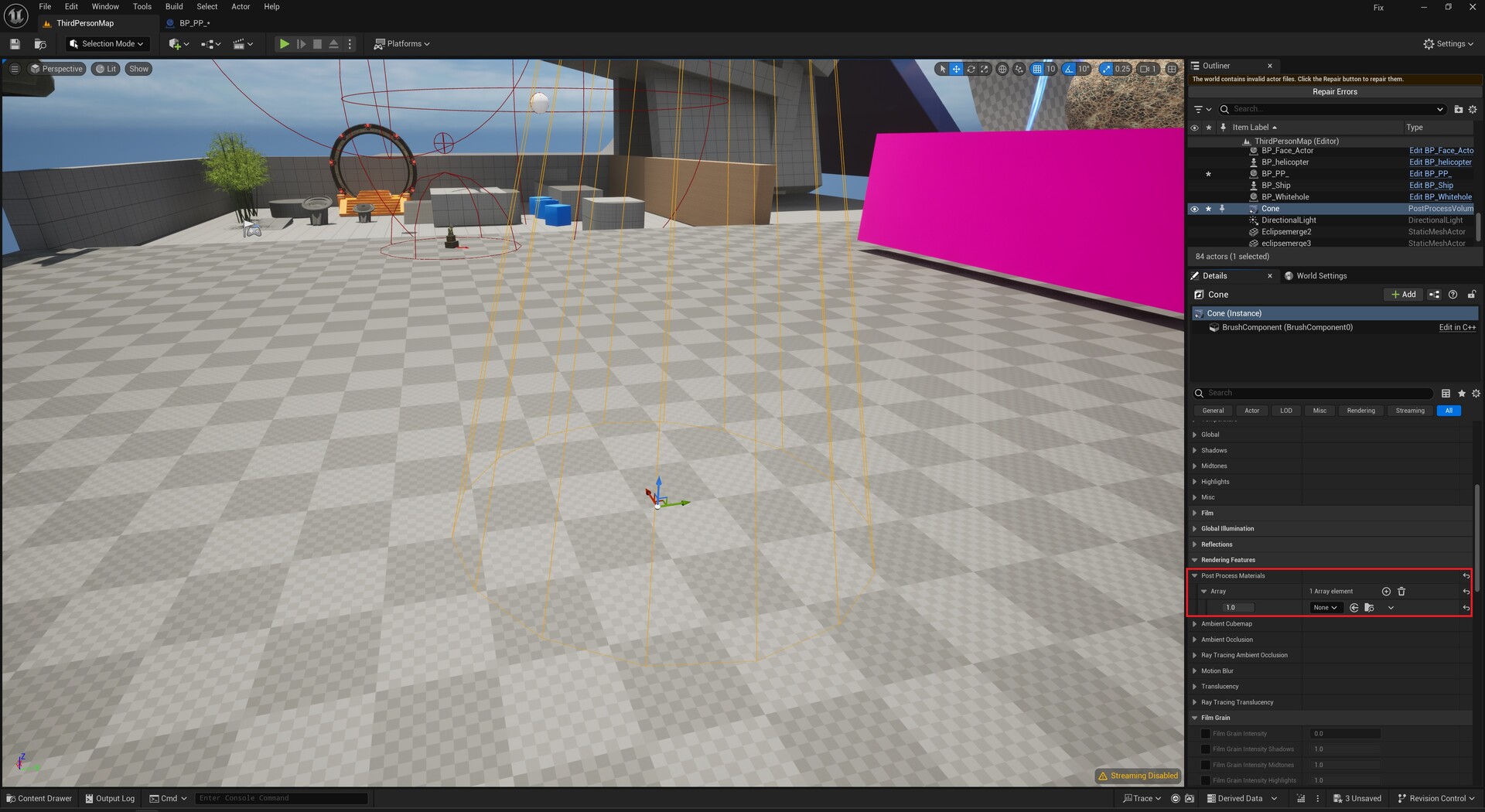
All the Post Process settings can be adjusted within the volume. You can also use materials. Nothing is different except the volume shape.
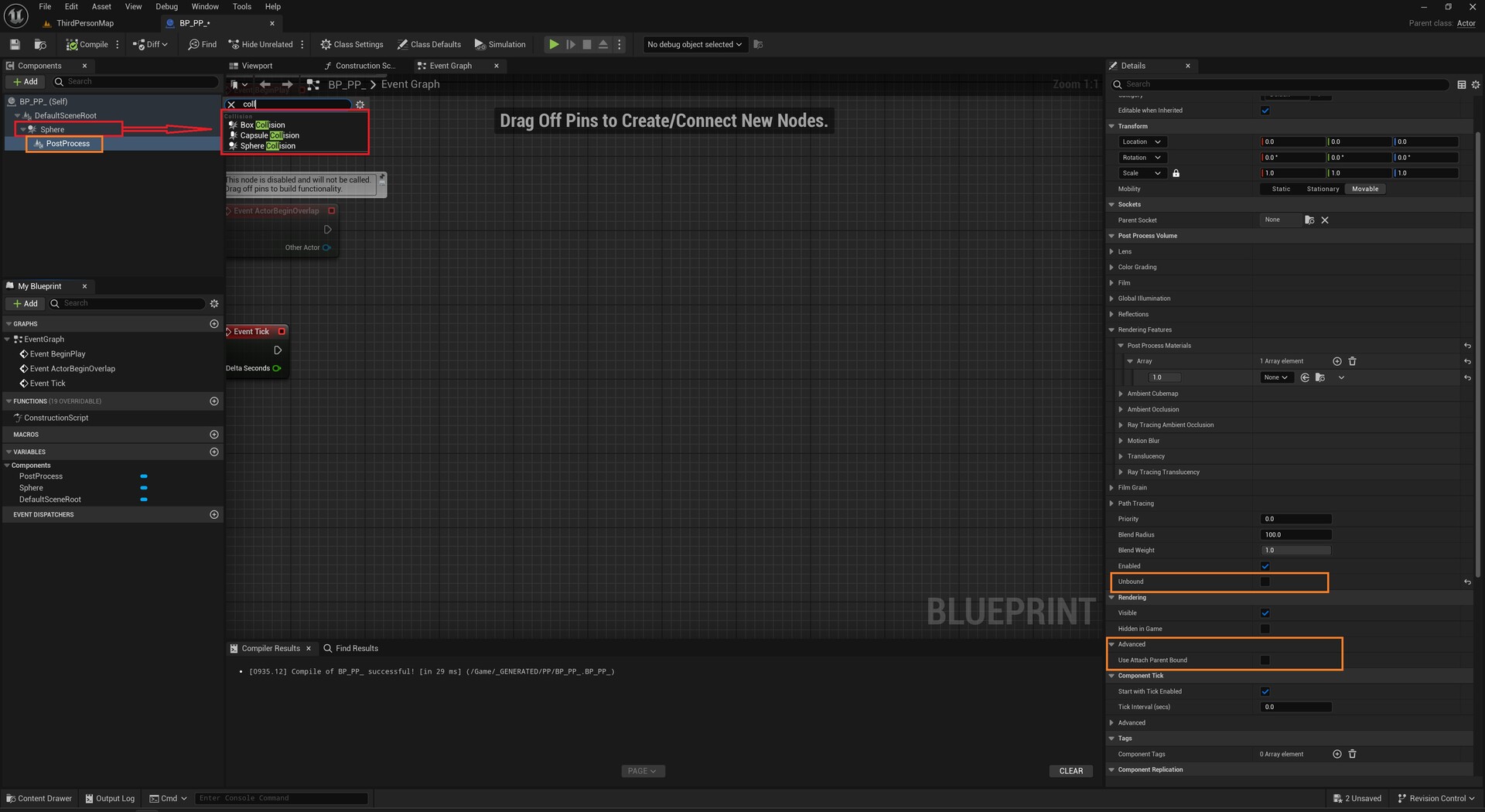
I have not had much luck with Blueprints, Post Process & Custom Shapes. But if you attach a post process to a Collision volume in BP's it'll do a Post Process within the Collision Volume. Make sure unbound is unchecked. "Attach to parent" is optional.
Example of BP.