How to UE - BP Rotating Objects
How to rotate an object in Blueprints

So while this is how you spin an object, its not the right way to do it. Reason people do this is because it is easier to control a single meshes rotation.
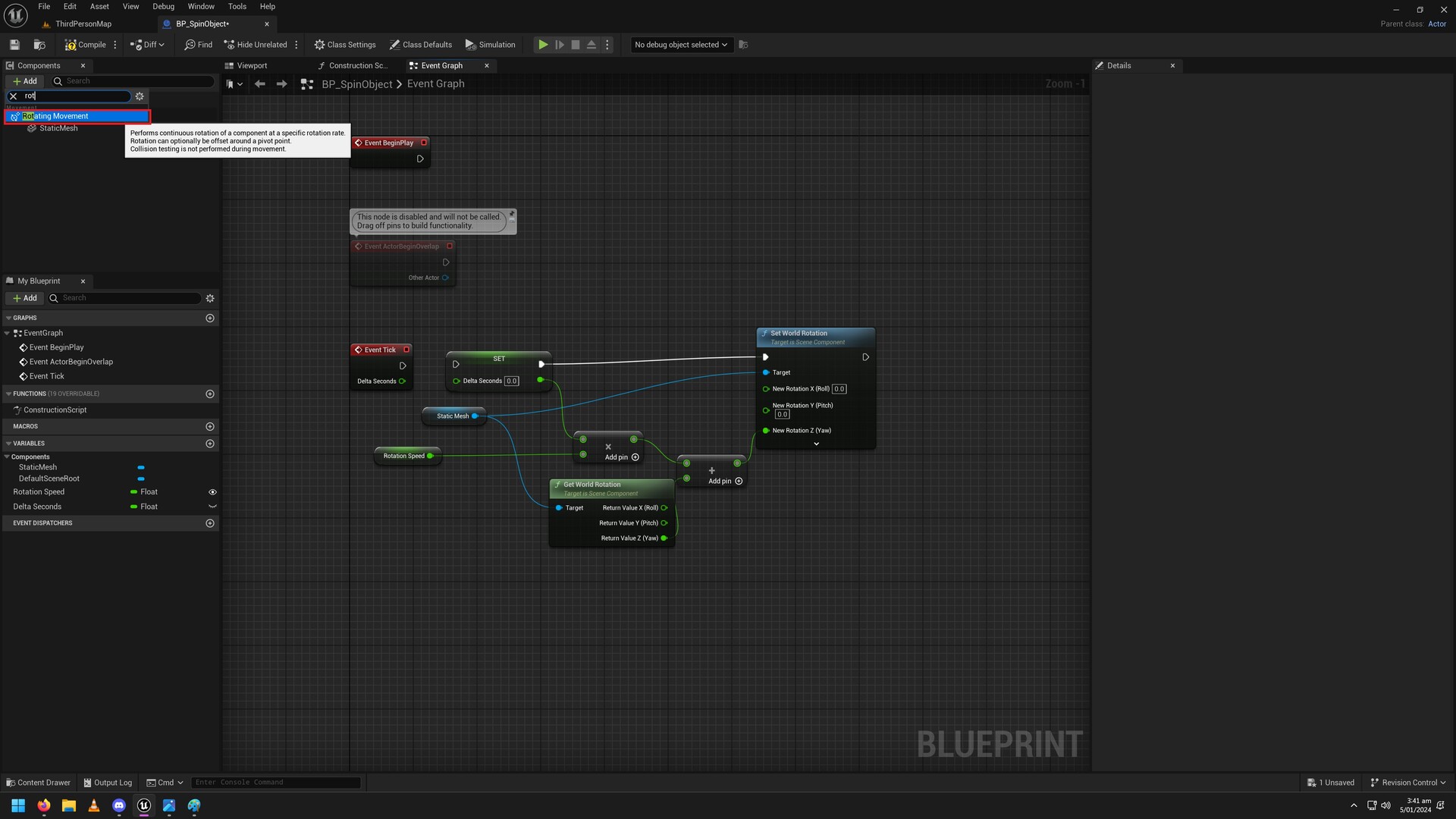
The right way is simple, you add a rotating movement component no code required so we can delete or disconnect it. Set the speed in scene. Issue is all meshes added will rotate if you just add these.

So if you have 2 meshes & you only want 1 to spin, Rather than making 2 BP's or aligning a BP to another mesh, You can do it all in 1 BP.

V2 (Simple): You can also use a springarm to set distance of the object to rotate. Like before you can use "Set Updated Component" to control the mesh rotation independently.
Springarm.
Springarm + Set Updated Component code.