Damien Ramirez (CG)
3D Generalist - Advisor
How To UE5 - Delete A Unloaded Actor In Level

Example: Right click on unloaded Actor, Select "Copy Selected Actor(s) File Path. then Turn off Unreal Engine.

Paste the file short cut into notepad, I believe you can also paste it into Explorer too?

Go to the location, Delete the file. Restart Unreal Engine.

Sometimes you can't get the option for the file path so here is the alternative method. Look up it's packaged Short name.
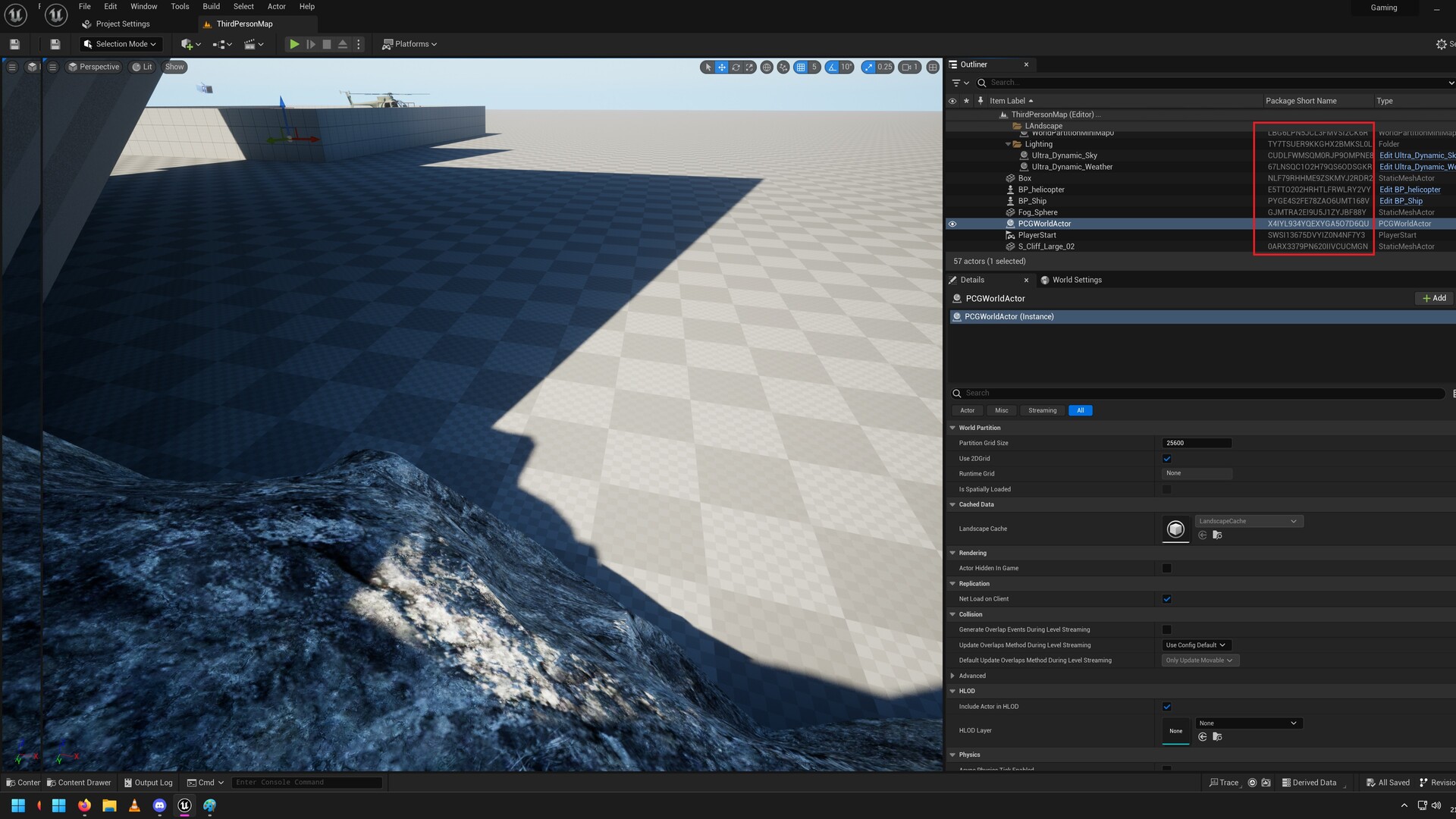
Search for the short name in Windows Explorer ideally in your Game content folder. Usually it'll be in the __ExternalActors__ folder. Delete the file. Reload Unreal Engine.

Extra Info: Safe to delete folders.